'%20d='M300%20636%20L495%20676%20L428%20998%20L340%20904%20L208%20970%20Z'/%3e%3cpath%20fill='url(%23r)'%20d='M724%20636%20L529%20676%20L596%20998%20L684%20904%20L816%20970%20Z'/%3e%3cpath%20fill='url(%23g)'%20d='M512.0%20130.0%20Q572.9%2086.0%20612.3%20149.9%20Q685.3%20132.6%20697.3%20206.7%20Q771.4%20218.7%20754.1%20291.7%20Q818.0%20331.1%20774.0%20392.0%20Q818.0%20452.9%20754.1%20492.3%20Q771.4%20565.3%20697.3%20577.3%20Q685.3%20651.4%20612.3%20634.1%20Q572.9%20698.0%20512.0%20654.0%20Q451.1%20698.0%20411.7%20634.1%20Q338.7%20651.4%20326.7%20577.3%20Q252.6%20565.3%20269.9%20492.3%20Q206.0%20452.9%20250.0%20392.0%20Q206.0%20331.1%20269.9%20291.7%20Q252.6%20218.7%20326.7%20206.7%20Q338.7%20132.6%20411.7%20149.9%20Q451.1%2086.0%20512.0%20130.0%20Z'/%3e%3ccircle%20cx='512'%20cy='392'%20r='224'%20fill='%23FFF6D6'/%3e%3ccircle%20cx='512'%20cy='392'%20r='192'%20fill='url(%23c)'/%3e%3c/svg%3e)
Provide documents securely on mobile devices
Cortado makes it easy to centrally distribute and manage corporate documents and files on mobile devices. With Mobile Content Manager, companies can seamlessly provide and update content while keeping corporate data secure at all times.
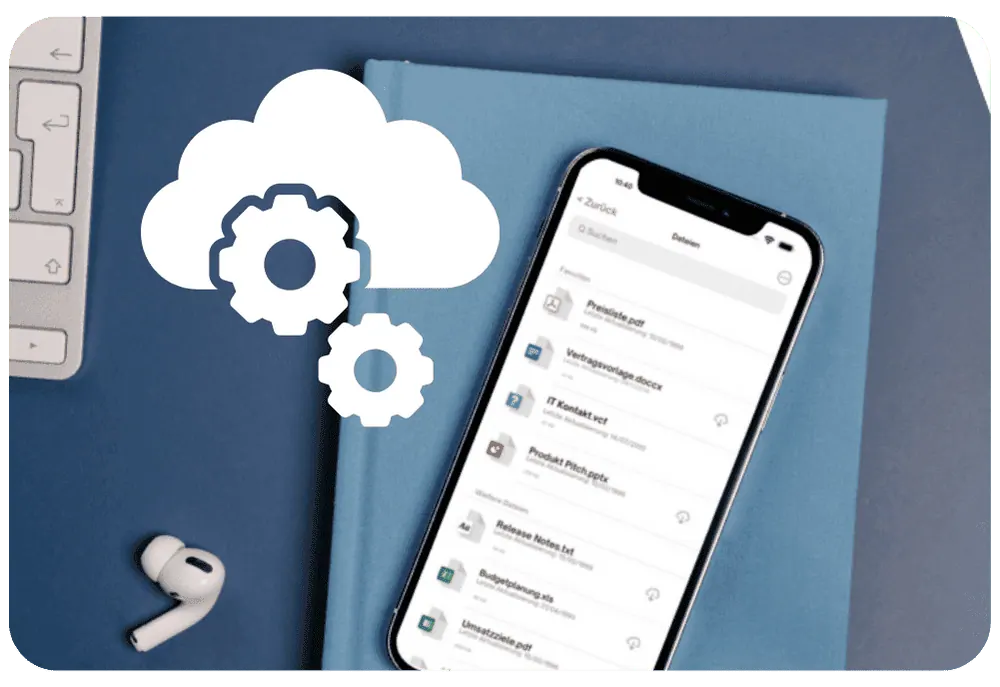
PROVIDE FILES
Provide corporate files securely and quickly on mobile devices
Companies have full control over file distribution, with the ability to adjust or revoke access as needed. Give specific user groups or individual users access to critical business files anytime, anywhere. When changes are needed, replace or update files in just a few clicks to ensure your team always has access to the latest information.
ENSURE COMPLIANCE
Protected data and reliable compliance
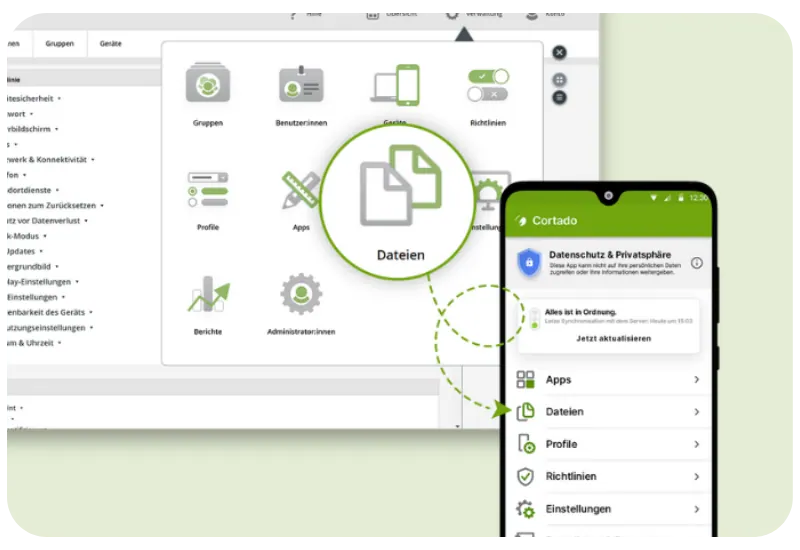
With Mobile Content Manager, sensitive corporate data stays secure inside a protected business container. Files are provided in a dedicated folder in the Cortado app and can only be opened and edited within managed apps. Mobile Content Manager also helps companies meet compliance requirements by enabling adherence to legal requirements and internal policies through precise control over data distribution and use.

SEPARATE PERSONAL AND BUSINESS USE
Clear separation of business and personal files
When devices are used for both business and personal purposes in BYOD and COPE models, Mobile Content Manager provides an efficient solution for data separation. By organizing files in a targeted way within the Cortado app, the tool ensures a clear separation between business and personal data, making it easier to handle corporate information securely while giving users maximum flexibility.
KEY FEATURES
Keep important files up to date and protected
Centrally distribute, update, and protect corporate documents – from forms to construction plans.

Seamless integration
Thanks to integration with our MDM solution, you manage files in line with profiles, apps, and policies.
Mobile file access
Employees always have access to important files and information on the go with smartphones and tablets.
Compliance
Companies meet legal and internal requirements through controlled access to documents and files.

Security
Encrypted data transfer and storage protect against unauthorized access and misuse.

Data separation
Clear separation of business and personal data provides ideal support for BYOD and COPE models.

Consistency
All users have access to the same files, maintaining consistency and preventing outdated information.
Save time
Centralized file distribution and management saves time and reduces the risk of manual errors.

Quick updates
Companies can respond quickly to changes and distribute new information at the push of a button.

Conserve resources
Distributing digital documents instead of printed ones saves resources and supports sustainability.
AWARDS & REVIEWS


DISCOVER MORE
Everything included in Content Management
Content Management is a module of Cortado MDM, supported by additional components, supported platforms, and integration with your existing IT.
Device Management
Enroll, configure, and centrally manage devices across their entire life cycle.
Learn moreSecurity Management
Security policies, encryption, and responses to loss or policy violations.
Learn moreMobile Asset Management
Centrally maintain contract, leasing, and device data and document inventory.
Learn moreCUSTOMER CASE STUDIES
Real-world references
From the construction site to the publishing house to the medical practice: this is how documents get securely onto mobile devices with Cortado.

Current plans always within reach
Bau & HandwerkGothic Landscape provides plans and documents through its own private cloud and precisely limits access and downloads.

Digital Construction Site: Mobile Work at Gebr. Donhauser Bau
Bau & HandwerkGebr. Donhauser Bau optimizes mobile device deployment and improves information security and privacy.

Digital dentistry meets IT security
Gesundheit & PflegeMVZ ZZP uses iPads at the dental chair – and protects sensitive patient data with Cortado MDM.
FREQUENTLY ASKED QUESTIONS
Questions about Content Management
How do files get onto the devices?
expand_more
Which file formats are supported?
expand_more
Can files be updated or withdrawn later?
expand_more
Are the documents protected against unauthorized access?
expand_more
Does this also work on personal devices (BYOD)?
expand_more
Is Content Management included in all plans?
expand_more
Start your Content Management now
Try Cortado free for 14 days – provide files and enroll your first devices in minutes.