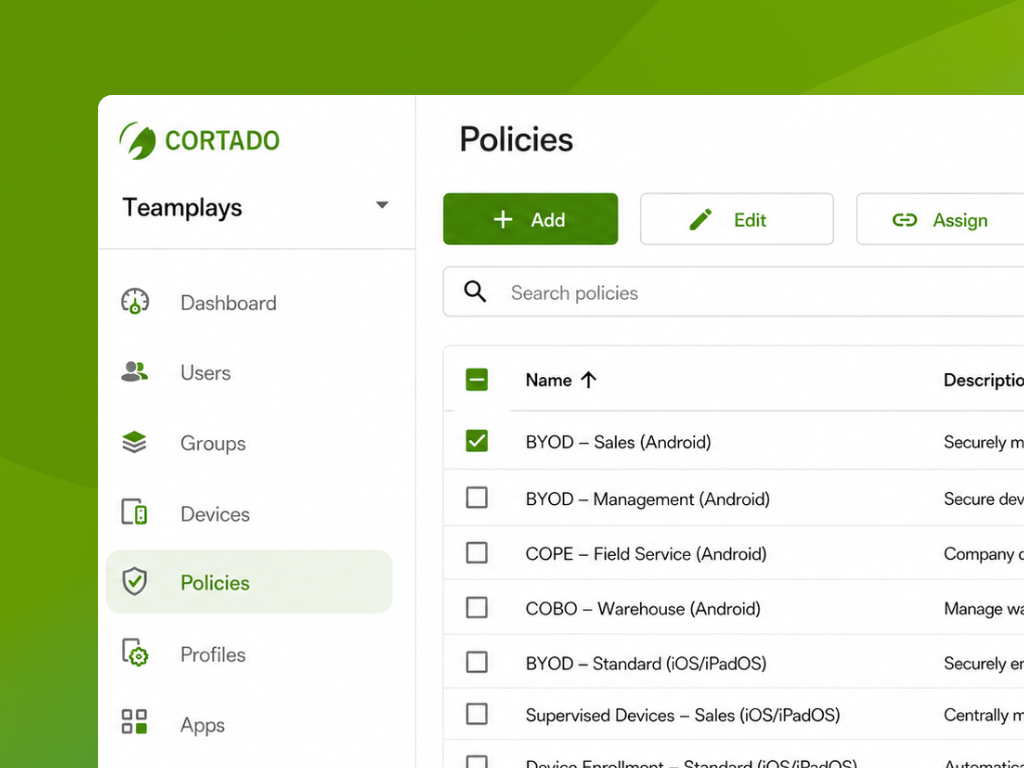
We are pleased to announce that policy management is now fully integrated into the new administration portal. Following user, group, and device management, this provides you with another key component—for iOS, iPadOS, macOS, tvOS, and Android—all accessible through a single interface. You can find instructions on how to create policies for each platform on our help pages.
One place for all platforms
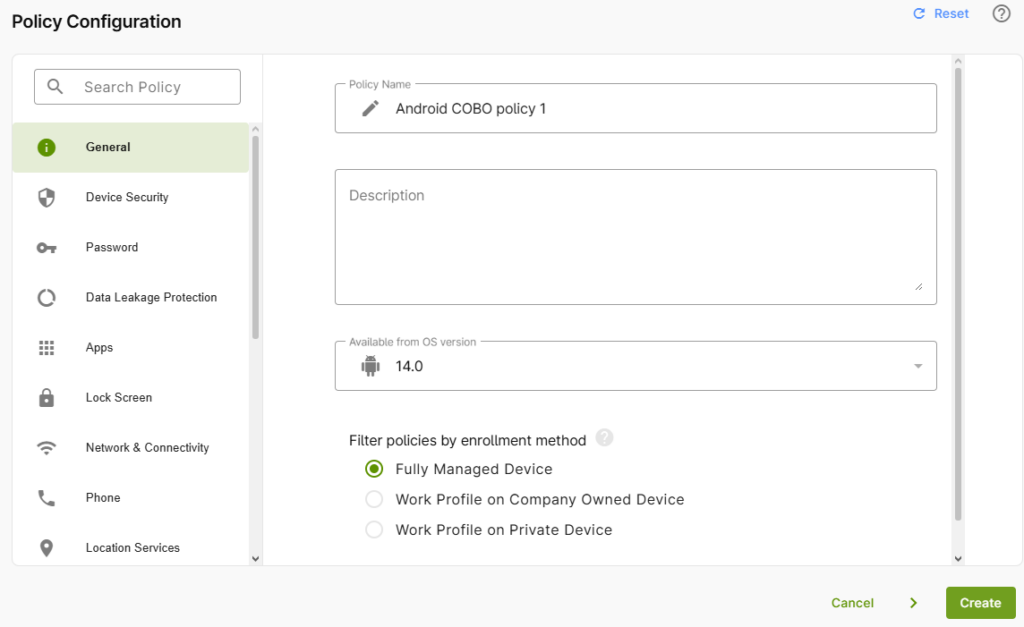
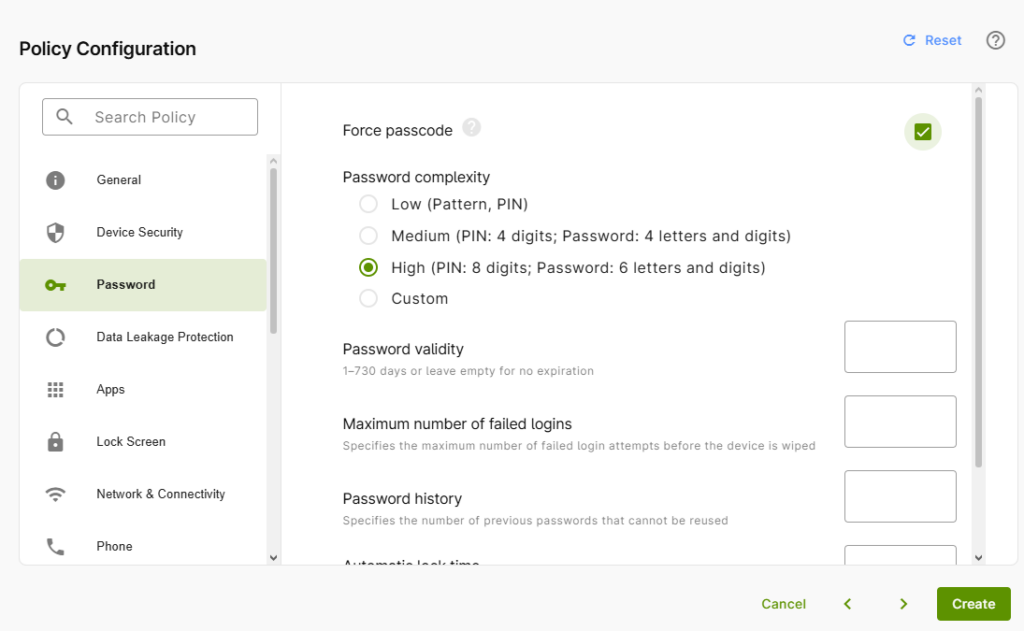
Policies allow you to define how devices behave and which features are available. The available policies depend on how your devices are set up—for example, for devices with a work profile or for fully managed devices. For example, you can specifically block access to the camera, restrict a device in kiosk mode to selected apps, or enforce a password policy with defined security requirements—all typical requirements in security-critical environments.
What’s Possible Now
In the new portal, you can manage the entire lifecycle of a policy:
- Create: Create new policies directly in the portal
- Edit: Modify existing policies at any time
- Assign: Assign policies to specific users, groups, and devices
- Duplicate: Copy existing policies as templates and reuse them
- Remove: Delete policies that are no longer needed
For detailed instructions on all features, see our help article on policy management.
The Benefits for Your Day-to-Day Administrative Work
Instead of manually configuring individual devices, you define a policy once and assign it centrally. New devices or users automatically receive the appropriate configuration. The duplicate function also saves time when you need similar policies for different departments or locations.
The result: a consistent device inventory, clearly traceable assignments, and less manual work—across platforms, all in one place.