'%20d='M300%20636%20L495%20676%20L428%20998%20L340%20904%20L208%20970%20Z'/%3e%3cpath%20fill='url(%23r)'%20d='M724%20636%20L529%20676%20L596%20998%20L684%20904%20L816%20970%20Z'/%3e%3cpath%20fill='url(%23g)'%20d='M512.0%20130.0%20Q572.9%2086.0%20612.3%20149.9%20Q685.3%20132.6%20697.3%20206.7%20Q771.4%20218.7%20754.1%20291.7%20Q818.0%20331.1%20774.0%20392.0%20Q818.0%20452.9%20754.1%20492.3%20Q771.4%20565.3%20697.3%20577.3%20Q685.3%20651.4%20612.3%20634.1%20Q572.9%20698.0%20512.0%20654.0%20Q451.1%20698.0%20411.7%20634.1%20Q338.7%20651.4%20326.7%20577.3%20Q252.6%20565.3%20269.9%20492.3%20Q206.0%20452.9%20250.0%20392.0%20Q206.0%20331.1%20269.9%20291.7%20Q252.6%20218.7%20326.7%20206.7%20Q338.7%20132.6%20411.7%20149.9%20Q451.1%2086.0%20512.0%20130.0%20Z'/%3e%3ccircle%20cx='512'%20cy='392'%20r='224'%20fill='%23FFF6D6'/%3e%3ccircle%20cx='512'%20cy='392'%20r='192'%20fill='url(%23c)'/%3e%3c/svg%3e)
Kiosk Mode
Deploy devices in single- or multi-app mode configured exclusively for defined business tasks. Kiosk mode in Cortado MDM ensures a highly controlled usage environment designed for maximum efficiency and security when completing tasks.
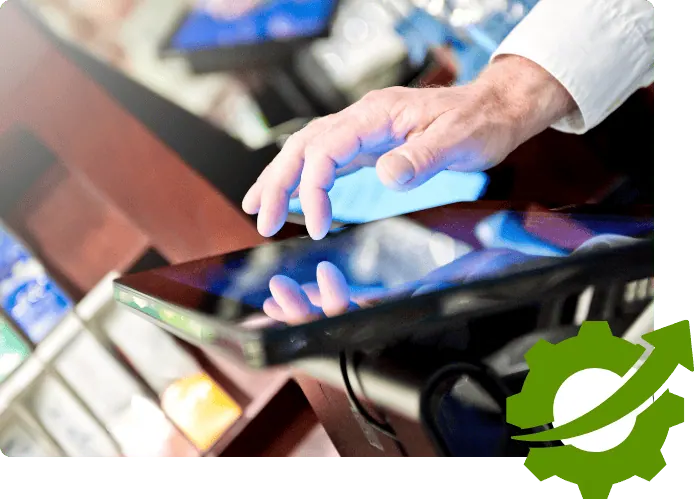
Tablets and smartphones as specialized devices
Whether in a retail store, where tablets serve as digital product catalogs, in schools for educational purposes, or in public institutions for information kiosks – give users access only to the apps relevant to them. This supports intuitive use and improves user-friendliness by simplifying navigation and making the desired information accessible more quickly. At the same time, restricted access combined with centralized device management strengthens security, since unauthorized apps cannot be loaded and settings cannot be changed, minimizing the risk of data breaches.

Maximum efficiency in single-app and multi-app mode
Cortado kiosk mode makes it possible to run devices in single-app or multi-app mode so they are ideally optimized for their intended purposes in the company. By configuring tablets and smartphones for specific individual apps or a limited selection of apps, companies can ensure that the devices are ideally aligned with the relevant business processes and user requirements. This flexibility increases user-friendliness and enables precise adaptation to different workflows and functions.

Security and data protection for your kiosk devices
Using kiosk mode with Cortado provides the highest security standards and data protection. By restricting devices to selected apps and preventing unauthorized access, sensitive corporate data is protected. Cortado enables precise control over device settings and app permissions, significantly minimizing the risk of data leaks and security breaches. This strict regulation not only helps companies meet compliance requirements, but also strengthens users’ trust in the security of their data.
Your benefits with Cortado and kiosk mode at a glance
Set up devices with ease
Configure all settings centrally so they are automatically applied to the device during initial setup.

Single-app and multi-app mode
Deploy one or more apps in kiosk mode, depending on the use case.

Distribute and update apps
Distribute and update the required apps on kiosk devices with ease.

Control operating functions
Disable device controls such as the Home button, volume controls, or touch functionality.

Enforce updates
Schedule operating system and app updates to minimize productivity losses and increase security.
Integrate web apps
Use web services securely through restrictive browser settings in kiosk mode.

Create reports
Monitor and analyze device and usage data through the reporting function.
Troubleshoot remotely
Resolve issues remotely quickly and without physical device access.
Enforce policies
Implement and manage security policies centrally and push them to devices at the touch of a button.
One solution, numerous use cases
With Cortado, you can use kiosk mode in a wide range of scenarios to support specific functions and optimize the user experience.
- Digital catalogs in retail: Tablets can serve as interactive catalogs that allow customers to browse products and access information without searching through physical inventory.
- Self-service terminals in restaurants: Customers can place their orders directly on a tablet, speeding up the ordering process and improving order accuracy.
- Check-in stations in hotels or at events: Tablets enable a fast check-in process by allowing guests to enter their own data and speed up the procedure.
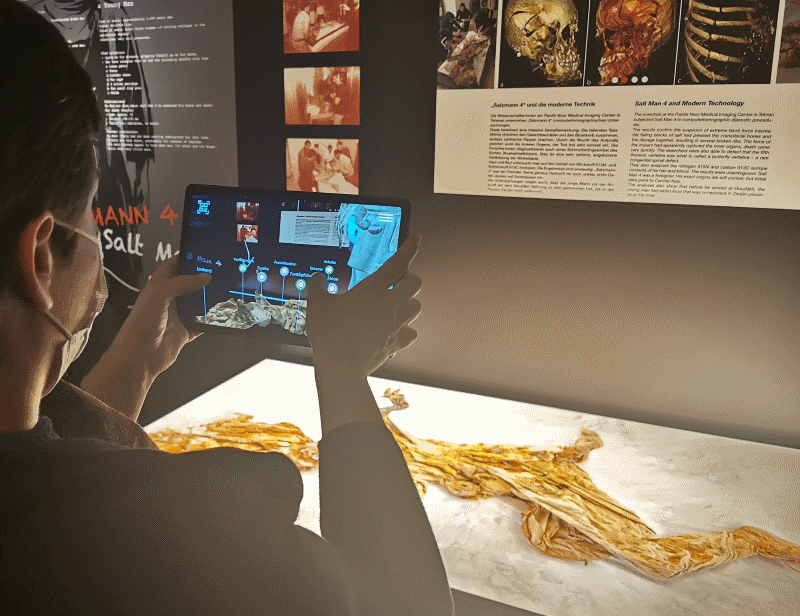
- Information kiosks in museums and exhibitions: Visitors can access customized information about exhibits, improving interaction and the learning experience.
- Learning stations in schools and libraries: Tablets in kiosk mode can provide students with specific learning materials and apps without distraction from other apps.
- Patient check-in in clinics and hospitals: Patients can enter their personal and medical information themselves, reducing administrative work for staff.
- Public transportation: Timetables, route information, or ticket purchases can be made accessible via fixed tablets running in kiosk mode.
- Corporate receptions: Guests can check themselves in and receive the information they need, such as contacts or directions.
- Smart office device control: Employees can use tablets as central control units for lighting, heating, and air conditioning in offices, optimizing comfort and energy efficiency.
- Fitness centers: Members can use tablets in kiosk mode to book classes, view their membership information, or access training plans.
Deutsches Bergbau-Museum Bochum uses visitor tablets in kiosk mode
„For data protection reasons alone, it was important to us that the company be based in Germany, because the highest data protection standards are a key concern for us. We got along very well with the solution. The usability is a dream.“
Nicolas Schimerl, research associate, Deutsches Bergbau-Museum Bochum
Read the customer story →Recommended resources
To help you get started with Cortado, we recommend the following resources.



Personal consultation
Our team will be happy to answer all your questions about our solution.
Book an appointment →