'%20d='M300%20636%20L495%20676%20L428%20998%20L340%20904%20L208%20970%20Z'/%3e%3cpath%20fill='url(%23r)'%20d='M724%20636%20L529%20676%20L596%20998%20L684%20904%20L816%20970%20Z'/%3e%3cpath%20fill='url(%23g)'%20d='M512.0%20130.0%20Q572.9%2086.0%20612.3%20149.9%20Q685.3%20132.6%20697.3%20206.7%20Q771.4%20218.7%20754.1%20291.7%20Q818.0%20331.1%20774.0%20392.0%20Q818.0%20452.9%20754.1%20492.3%20Q771.4%20565.3%20697.3%20577.3%20Q685.3%20651.4%20612.3%20634.1%20Q572.9%20698.0%20512.0%20654.0%20Q451.1%20698.0%20411.7%20634.1%20Q338.7%20651.4%20326.7%20577.3%20Q252.6%20565.3%20269.9%20492.3%20Q206.0%20452.9%20250.0%20392.0%20Q206.0%20331.1%20269.9%20291.7%20Q252.6%20218.7%20326.7%20206.7%20Q338.7%20132.6%20411.7%20149.9%20Q451.1%2086.0%20512.0%20130.0%20Z'/%3e%3ccircle%20cx='512'%20cy='392'%20r='224'%20fill='%23FFF6D6'/%3e%3ccircle%20cx='512'%20cy='392'%20r='192'%20fill='url(%23c)'/%3e%3c/svg%3e)
Android Device Enrollment with Automatic Wi-Fi Setup
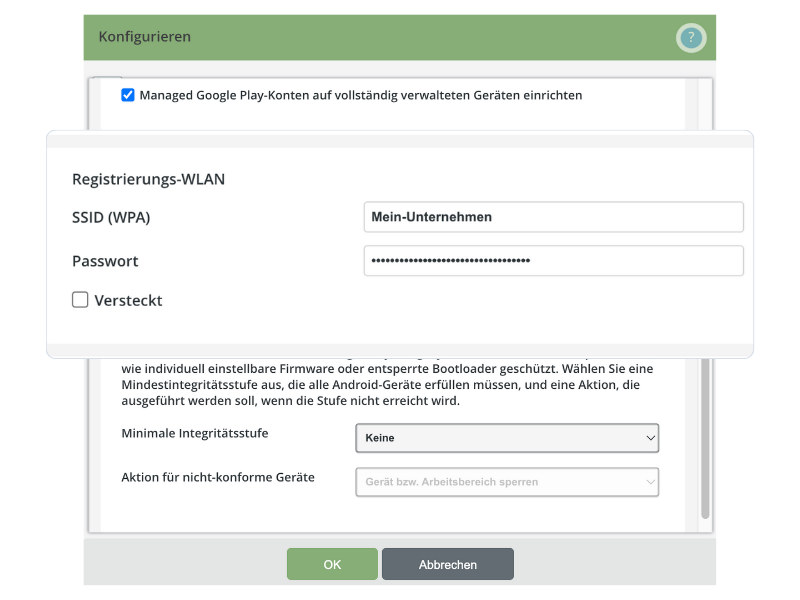
The QR code for device enrollment in the administration portal now contains all the necessary settings to automatically connect fully managed Android devices to Wi-Fi.
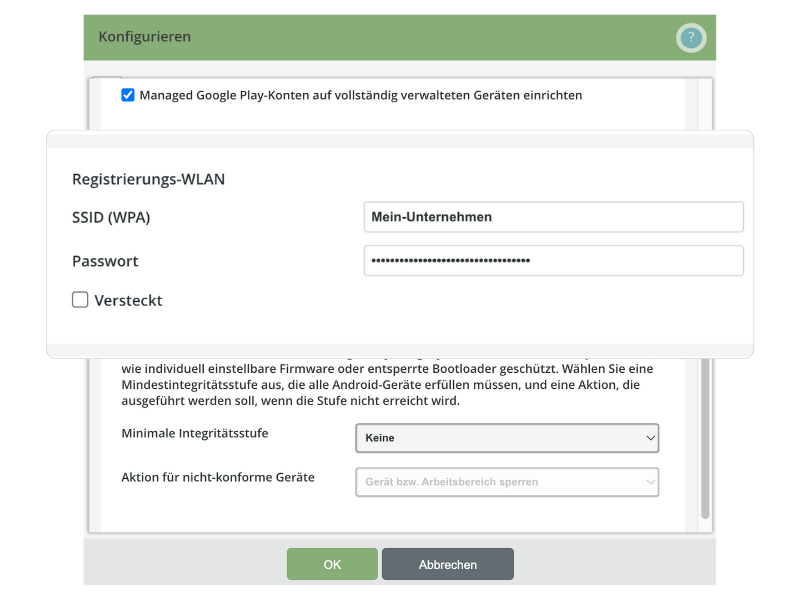
The QR code for device enrollment in the administration portal now contains all the necessary settings to automatically connect fully managed Android devices to Wi-Fi.
With our latest MDM update, we are introducing a significant improvement to the enrollment process for fully managed Android devices in COBO (Corporate-Owned, Business-Only) or COPE (Corporate-Owned, Personally-Enabled) mode.
The enrollment QR code displayed in the administration portal now includes all the necessary Wi-Fi settings required to connect the mobile device. This enables a seamless and error-free initial setup of the devices, significantly reducing the effort and time required by the IT department.
Further information and instructions can be found in our Support Center: Creating Managed Google Play accounts for Android Enterprise.
Stay Tuned! The extension of this function to the user portal will follow shortly.
Not a Cortado customer yet?
Discover effective and secure mobile device management with Cortado. Test our solution for free with no obligation.
Test for free now