'%20d='M300%20636%20L495%20676%20L428%20998%20L340%20904%20L208%20970%20Z'/%3e%3cpath%20fill='url(%23r)'%20d='M724%20636%20L529%20676%20L596%20998%20L684%20904%20L816%20970%20Z'/%3e%3cpath%20fill='url(%23g)'%20d='M512.0%20130.0%20Q572.9%2086.0%20612.3%20149.9%20Q685.3%20132.6%20697.3%20206.7%20Q771.4%20218.7%20754.1%20291.7%20Q818.0%20331.1%20774.0%20392.0%20Q818.0%20452.9%20754.1%20492.3%20Q771.4%20565.3%20697.3%20577.3%20Q685.3%20651.4%20612.3%20634.1%20Q572.9%20698.0%20512.0%20654.0%20Q451.1%20698.0%20411.7%20634.1%20Q338.7%20651.4%20326.7%20577.3%20Q252.6%20565.3%20269.9%20492.3%20Q206.0%20452.9%20250.0%20392.0%20Q206.0%20331.1%20269.9%20291.7%20Q252.6%20218.7%20326.7%20206.7%20Q338.7%20132.6%20411.7%20149.9%20Q451.1%2086.0%20512.0%20130.0%20Z'/%3e%3ccircle%20cx='512'%20cy='392'%20r='224'%20fill='%23FFF6D6'/%3e%3ccircle%20cx='512'%20cy='392'%20r='192'%20fill='url(%23c)'/%3e%3c/svg%3e)
File Management Now Available in the New Administration Portal
The Cortado MDM administration portal is getting a new look, step by step. All sections are gradually moving to the new design, many of them with additional features. After user, group, device and policy management, it is now file management's turn.
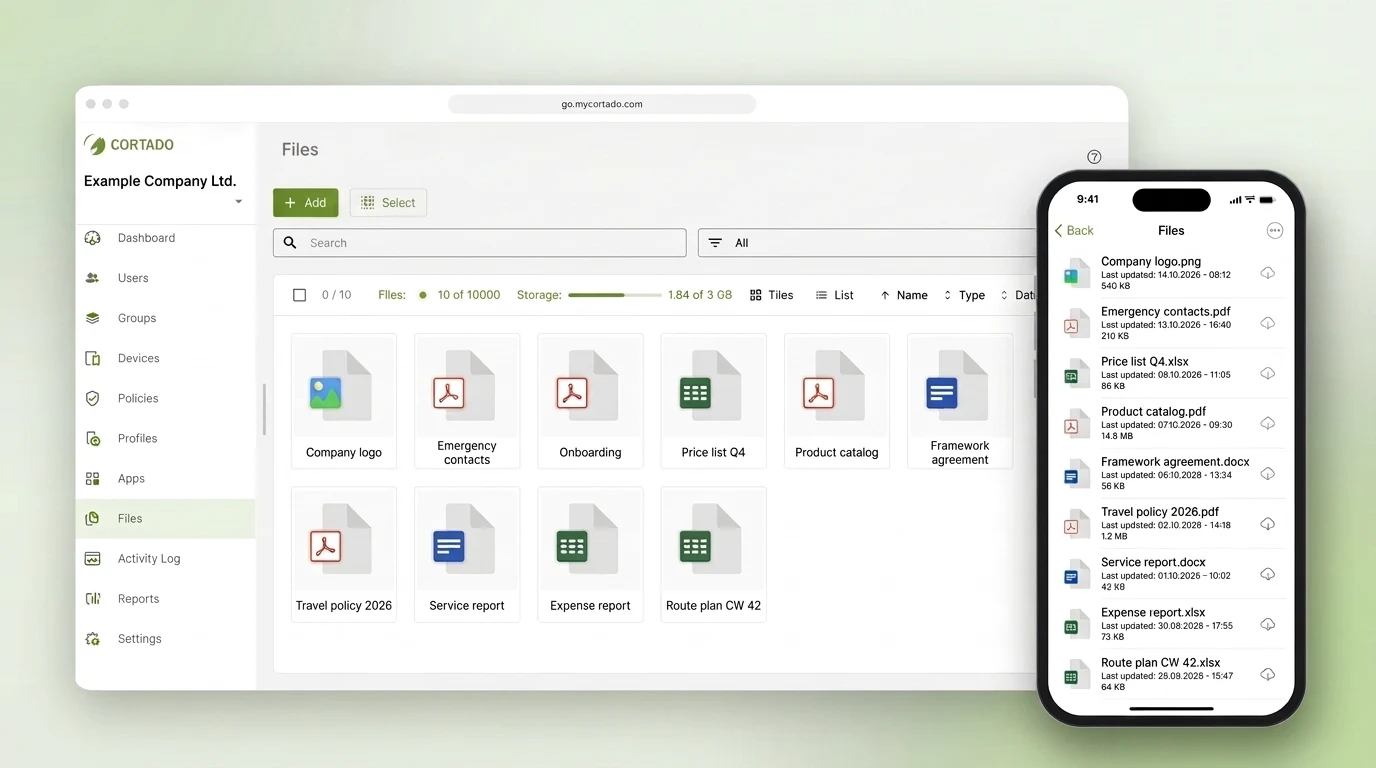
Provide Files Centrally
With file management, you can make documents, presentations or forms available to your employees directly on their mobile devices. Users find the files in the Cortado app on iOS/iPadOS and Android devices.
What You Can Do in the New File Management
- Upload files: Use "Add files" to upload files via drag & drop or the file picker. New: you can adjust the name and add a description before uploading.
- Edit files: The name and description of a file can now also be changed afterwards.
- Assign and unassign files: Select one or more files at once and assign them to users or groups, or remove the assignment. If an account or a local group is missing, you can create it directly in the assignment dialog.
- Remove files: Deleted files disappear from the portal and from the devices of all assigned users and groups.
- Search and filter files: Find files by name or filter by file type, for example documents.
- Customize the view: Switch between list and tile view and sort by name, type, date or size. You can also see at a glance how many files are stored and how much storage is still available.
File management is included in the Pro and Enterprise plans (see Plans & Pricing). The available storage depends on your plan.
Old and New Portal Run in Parallel
Until all sections have moved, the previous and the new administration portal are available side by side. This lets you get to know the new areas at your own pace without giving up familiar features.
You can find an overview of all features on our file management feature page.
Our step-by-step guide shows how to upload and assign files in the new portal: How to provide files to your users on mobile devices